Branded Merchandise for IT Companies: A Practical Guide
Choose branded gifts around the way your IT team works. Compare practical products, check device compatibility and plan a welcome set.
Choose branded merchandise for an IT company around the way people work. A developer setting up a home office, a sales colleague traveling between meetings, and a team attending an internal workshop have different needs. Sending everyone the same large gift box may leave several items unused. Start with a working situation and choose one or two products that fit it.
The examples below come from Meenevabrik's product range. They provide a starting point for comparing materials, connections, dimensions, and package contents. A useful employee gift should fit the recipient's existing equipment and make sense without a lengthy explanation. The company logo is one part of that decision.
Understand the team's working habits
Before opening a catalog, ask where the product will be used, what people already own, and which task it could make easier. An office team may appreciate something that stays on a desk. Frequent travelers might prefer a compact item that fits their current laptop bag. For home offices, offering a choice can help because available space and personal preferences vary.
Do not turn job titles into assumptions about taste. Developers do not all want electronic accessories, and managers do not all need another notebook. A short survey with two or three options can reveal useful preferences without collecting unnecessary personal information. Asking people to choose between a desk accessory and a portable item already gives the order a clearer direction.
One approach is to combine a shared welcome card with a selectable main product. This keeps the company's message consistent while allowing different working habits. If the same gift will be ordered for future hires, keep the approved product references and artwork together. Availability and colors still need confirmation when each repeat order is placed.
Check compatibility before choosing desk technology
Bamboo lamp with a wireless charger combines lighting with charging rated at up to 15 W. The supplier lists a flexible arm, 12 LEDs, and three lighting modes. It is a candidate for someone who needs extra desk lighting and wants to charge a phone nearby. Confirm wireless charging support and the required power supply before ordering.
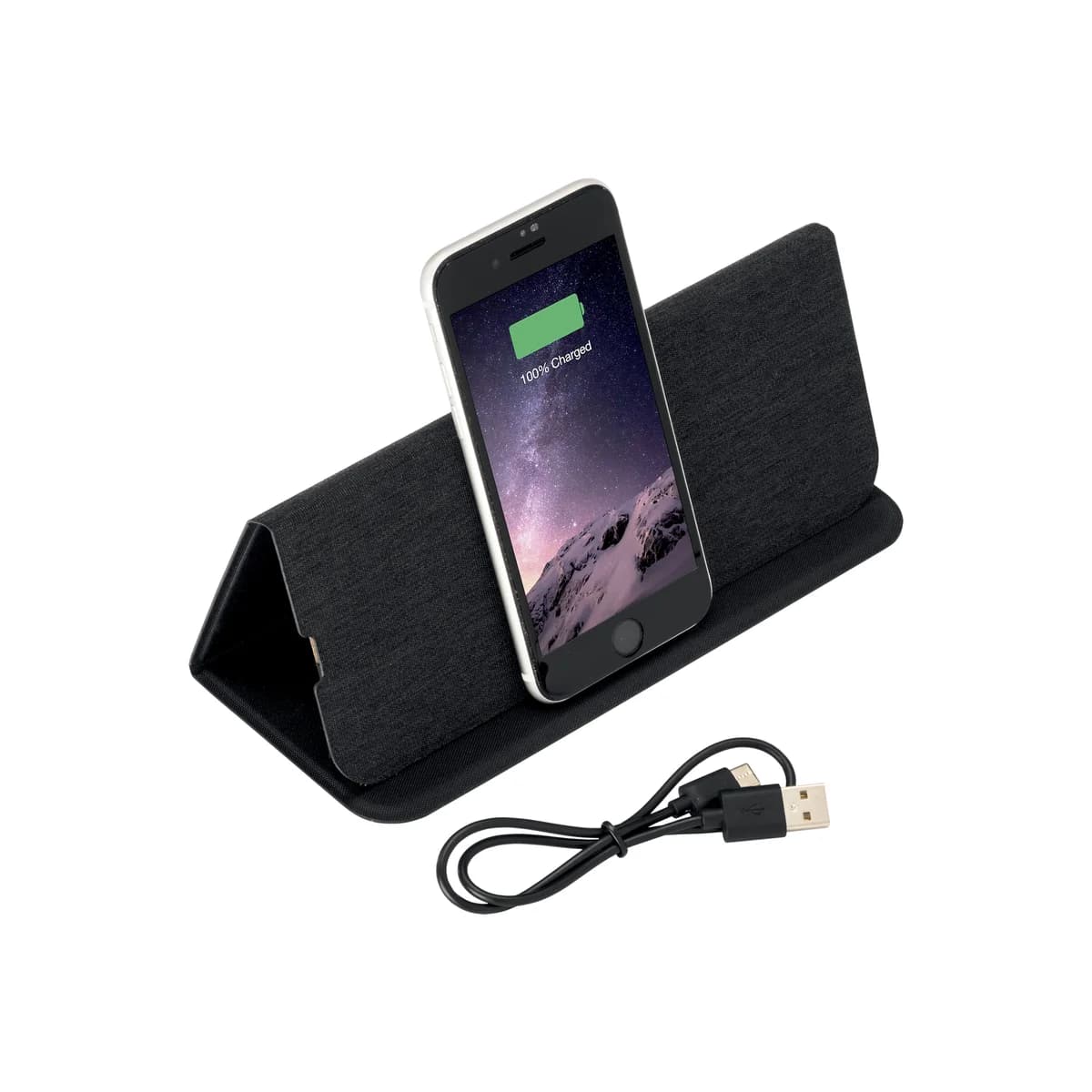
The R-PET mousepad with a phone holder and charger offers a different layout. Its listed wireless output is 10 W, and a USB charging cable is included. That rating does not guarantee the same charging speed for every phone. Test a sample with the intended device and case, and check whether the power adapter is part of the proposed package.
A bamboo USB hub provides two USB-A ports and one Type-C port. A USB-C connector alone does not establish video support, fast charging, or a particular transfer speed. List the required functions before requesting a quote so the product can be assessed against actual needs.
Build welcome gifts around a main product
A new employee's first day involves meeting people and collecting practical information. A notebook can hold names and questions, while a drinking bottle can become part of the working day. A short personal welcome card connects the gift to the team. Choose a main item with a clear purpose instead of adding small accessories simply to fill a box.
The 500 ml recycled stainless steel thermal bottle has a double wall and a steel cap. Consider how it will be cleaned, whether it fits the recipient's bag, and where the branding will sit. The supplier's material description supports a statement about recycled steel; it does not establish the overall environmental impact of the finished product.
For a shared office day, the DOMINO game offers another direction. Its wooden sliding-lid box holds 28 dominoes. A game creates a clear shared use and avoids device compatibility questions. The choice should still suit the recipients: a team lounge, an informal gathering, and an individual welcome package are different settings.
Keep branding and packaging appropriate to the setting
A desk product remains in someone's personal view throughout the day. A small logo or a restrained single-color design may therefore suit it better than a large advertisement. Treat this as a design decision rather than a universal rule. View the artwork at its actual size and check whether fine lines or small lettering remain readable on the chosen surface.
Wood and bamboo vary in grain and tone. An engraved sample helps establish what the contrast will look like. On electronics, the design must leave operating surfaces and necessary markings usable. Confirm the decoration method and available area for the exact model; products with similar shapes can have different branding options.
A package sent to a home office also needs transport protection. Ask whether the product's retail box can be shipped directly or needs an outer carton. Gifts handed out at the office may need a different arrangement. Keep the manufacturer's instructions with the item, and make the main function easy to understand when the recipient opens the package.
Make the next order easier to repeat
Include product references, quantities, colors, artwork, the required handover date, and delivery locations in the inquiry. For electronic products, add the intended devices and required connections. Mention individual shipments from the start because packing and distribution affect the work involved. For company-managed computers, check proposed accessories with the person responsible for equipment before final selection.
Minimum quantities and lead times must be confirmed per model. A price tier is not automatically a minimum order, and a larger quantity does not automatically create a discount. Compare quotes containing the same elements: product, decoration, preparation, packaging, delivery, and applicable taxes. An indicative unit price alone does not describe the cost of a finished gift.
After the first distribution, ask what people actually use and what could be improved. Keep a photo of an approved sample set and its specification with the order record. Those details help make the next colleague's welcome consistent while allowing practical improvements based on experience.